Scene Compass: a tape measure and a bookmark bar for Unity editors
Two tiny tools replaced a week of scribbled notes on our team. Here is what went into Scene Compass, why it is free, and how it has reshaped our scene workflow.

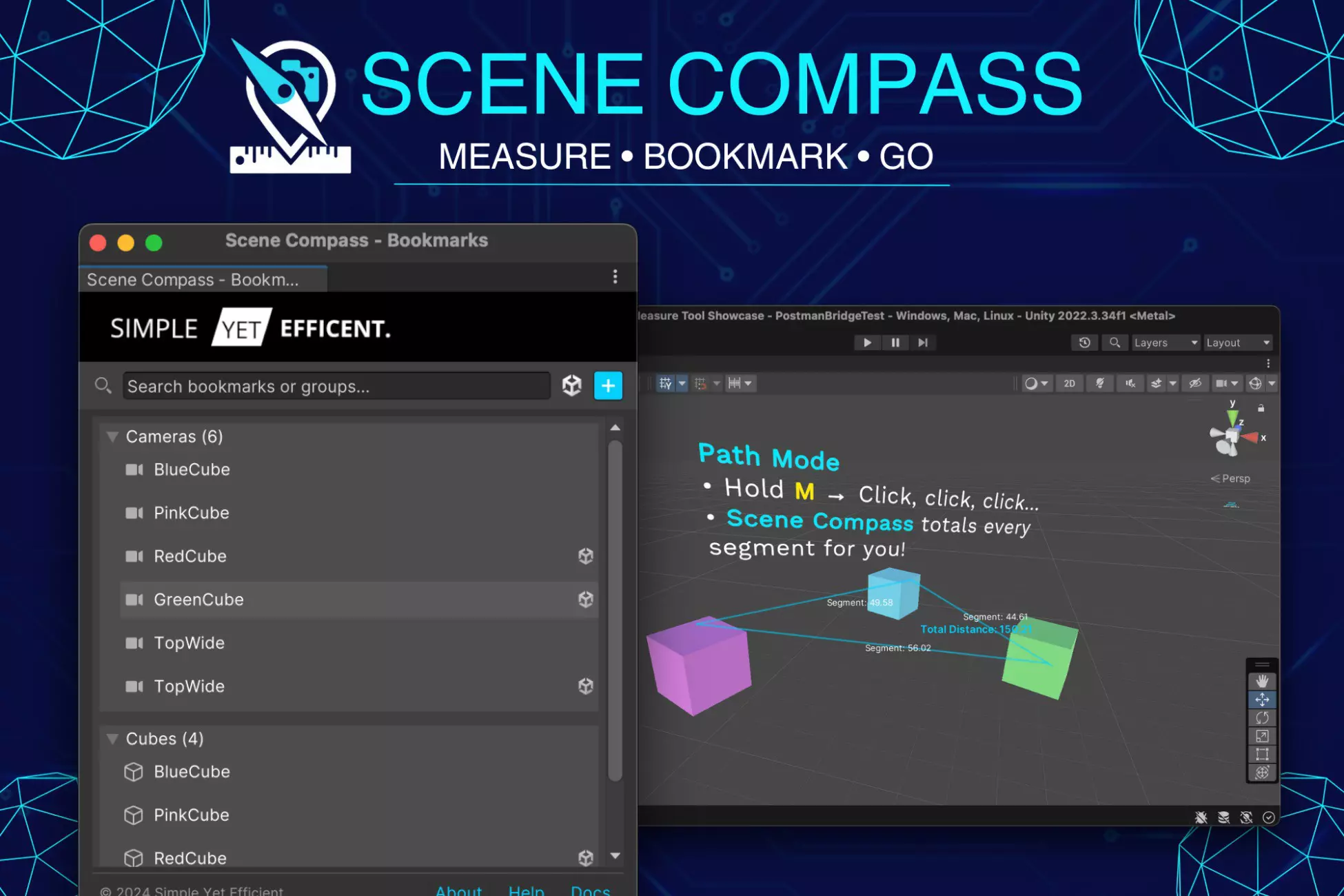
The world's smallest Unity plugin
Scene Compass does two things: it measures distances in the Scene view, and it bookmarks places you want to come back to. That's it. No runtime footprint, no managers to add to your scenes, no asmdef dependency tree. The entire package is under 200 KB.
We built it because we kept reaching for tools that didn't exist in Unity by default. Every game we ship has a folder called "debug stuff" that eventually accumulates empty GameObjects named Viewpoint_Boss_Fight_v3 and tiny cubes used as tape measures. It always felt wrong to be shipping these via the scene file.
Measure mode
Hold M and click two points — you get the distance rendered as a floating label between them, snapped to GameObject pivots by default. Hold Shift + M and the same click sequence lets you build a multi-segment path, with the total path length shown at the end.
It sounds trivial until you need it. "How far is the player from the exit?" "How wide is this hallway?" "Does the camera need another 1.5 m of pullback?" All questions that used to require dropping a cube into the scene, inspecting transforms, and cleaning up after.
Bookmark mode
Press Alt + Shift + B with a Scene view focused. A dialog asks you to name the bookmark and pick a group. It saves the current camera pose (position + rotation + FOV) or a selected GameObject.
Later, Alt + B opens the Bookmarks window. Click to teleport. Double-click to also select the bookmarked object. Bookmarks live in ProjectSettings/SceneCompassBookmarks.json, which means they commit with the rest of the project and everyone on the team shares them.
We have found this is an underrated form of team documentation. Naming a viewpoint "T-junction — LOD bug repro" is a better onboarding artifact than any Notion page. New teammates can literally jump to the interesting parts of the scene.
Why it's free
Scene Compass isn't a business — it's the price of admission. We'd rather every Unity developer have a decent measure tool than extract $5 from a small fraction of them. Source is on GitHub under the MIT license, and the Asset Store listing is the lazy install route.
If you try it, don't expect fireworks. Expect boring quietness — which is, genuinely, what the tool is for.